
3D Live Wallpapers - HD & 4K
SmoothX StudioPersonalization
4.61.12K Reviews
- Version
- 2.0.0
- Installs
- 10.00M
- Age Rating
- Everyone
Screenshots
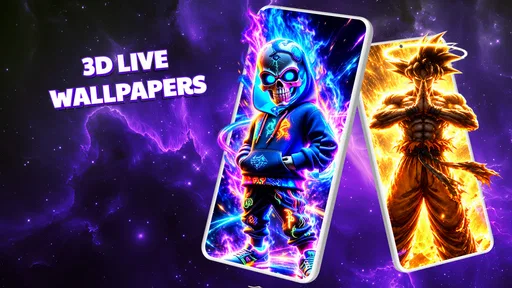
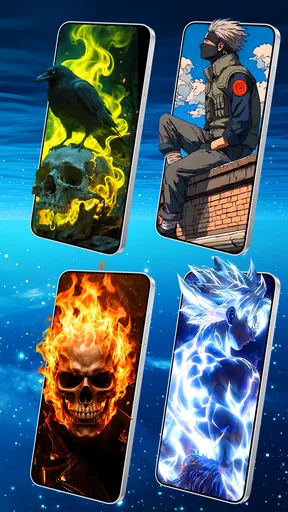
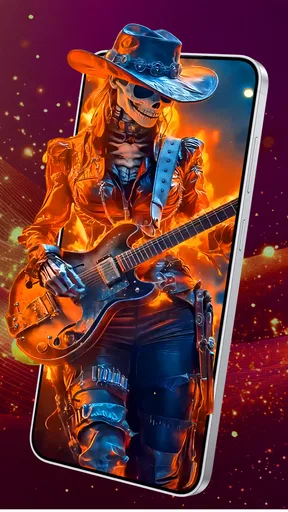
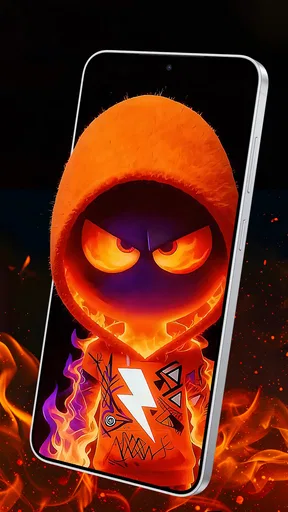
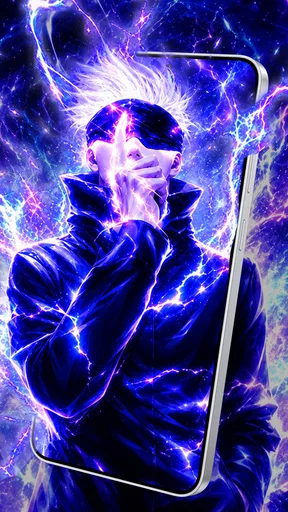
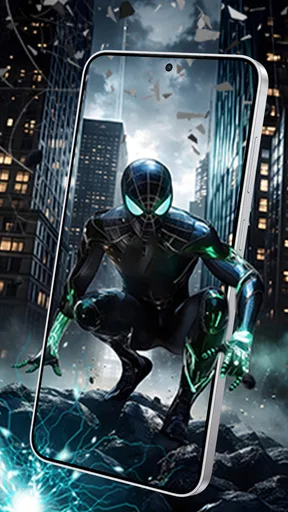
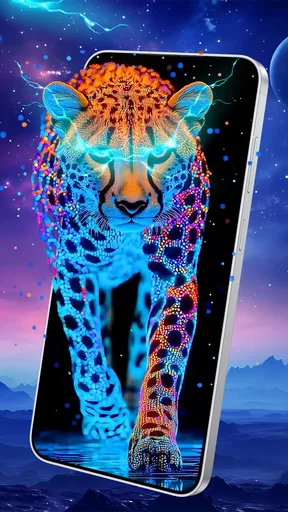
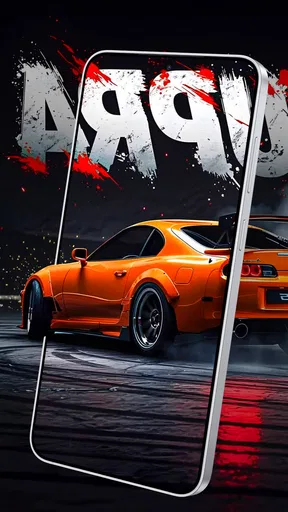
Our Review of 3D Live Wallpapers - HD & 4K
 Analysis by Appyee
I enjoy changing my phone’s look, but live backgrounds can be a poor fit when they add visual clutter or make a simple task feel fiddly. 3D Live Wallpapers - 4K & 4D is aimed at people who want their home screen to feel more animated than a still image. I’d approach it as a personalization app to explore at your own pace: the most useful choice is not necessarily the most dramatic one, but the wallpaper that remains pleasant to see every time you unlock your phone.
When loading a wallpaper depends on your connection
Browsing a wallpaper collection can feel different on a strong connection than it does while you’re out with patchy service. If a preview takes time to appear, I’d avoid tapping repeatedly or switching between several choices at once; give the current item a moment, then try another only if it still has not loaded. That small habit makes it easier to tell whether the slowdown is temporary rather than a problem with the wallpaper itself.
For a dependable setup, choose and preview a design when you have time to look at it properly, rather than while rushing between places. I also wouldn’t make the most intricate moving option your first choice if you need to change your background quickly. A simpler visual is easier to judge at a glance, and the preview gives you a chance to check whether its motion suits your screen before you commit.
Choosing for the way you use your phone
A live background is something you see in short bursts, not a video you sit down to watch. That changes what works: bold movement may look impressive in a preview but become distracting when you are checking messages or opening an app. I’d compare a candidate against your usual home-screen layout, including the icons and widgets you rely on, and favor one that leaves those everyday details easy to pick out.
There is a practical difference between using a moving wallpaper on a phone you mostly keep on a desk and using one on a device you check constantly while walking or commuting. In the first case, a more noticeable design can be a pleasant visual change. In the second, understated motion is less likely to compete with quick tasks. If your lock screen is where you mainly notice the background, consider whether the design still feels right in that brief, repeated glance.
A realistic way to test the look
Imagine changing your background before leaving home, then unlocking your phone repeatedly during a busy day to check directions, messages, and appointments. A design that feels exciting in a quiet moment may be too busy when you need to focus. I’d preview it, use it through a normal stretch of phone use, and then decide whether to keep it. This is more useful than judging only from a full-screen preview because your actual routine reveals whether the animation gets in the way.
It is also worth checking the result in both the places where you normally use your phone and at the times you tend to reach for it. Bright outdoor conditions can make a detailed background harder to appreciate, while a high-contrast design may feel more prominent indoors. You don’t need to find one wallpaper that suits every mood: treating the choice as a personal setting rather than a permanent makeover makes it easier to switch when your needs change.
Visually Stunning Options
Right off the bat, the variety of wallpapers available is mind-blowing. From mesmerizing abstract designs to serene nature scenes, the app has a little something for everyone. What really sets it apart is the 4D effect, which adds depth and movement, making it look like the wallpaper is popping out of your screen. It's not just about the visual appeal; these wallpapers are optimized in 4K resolution, ensuring they look crisp and vibrant.
Easy to Use
Installing and setting a new wallpaper is a breeze. The user interface is super intuitive, which means you don’t need to be a tech genius to navigate through the options. You simply browse, pick your favorite, and set it as your wallpaper. The app also allows you to preview how it will look on your screen before committing. I found this feature particularly handy!
Managing stalls and deciding whether to retry
If a wallpaper or preview does not appear as expected, I’d take a measured approach instead of assuming the whole app has failed. Wait briefly, return to browsing, and try opening the same choice once more. If the issue continues, pick a different design and come back later. This keeps a temporary loading hiccup from turning into a frustrating loop of repeated taps.
After setting a wallpaper, check the screen again rather than relying only on the selection view. A preview helps you judge the look, but the home screen is where you’ll see how it sits alongside your apps. If the result is not right, go back to the browsing step and choose another; the point of personalization is to make the phone feel comfortable to use, not to force yourself to live with a design that looked better in isolation.
Battery and Performance
Now, if you’re worried about these fancy visuals draining your battery, you’re not alone. I had the same concern, but the app is surprisingly efficient. It’s designed to minimize battery usage, which means you can enjoy these stunning wallpapers without constantly hunting for a charger. From my experience, I didn’t notice any significant drain, and my phone’s performance remained smooth.
That said, battery use is a sensible thing to judge on your own phone rather than assume every setup behaves identically. Try one wallpaper during an ordinary day and notice whether your usual routine changes: frequent screen checks, long stretches away from a charger, and an already busy phone can all make a small difference more noticeable. If you are trying to conserve power, a static background is the more straightforward choice; the animated look is a trade-off, not a necessity.
Keeping the experience data-conscious
Because browsing and loading choices can involve network-dependent moments, I would explore when I have a reliable connection and avoid repeatedly reopening previews when service is weak. That is a practical way to limit unnecessary loading, especially if you are watching your mobile data use. I would also make one considered selection rather than cycling through designs just to see what happens; the preview is most useful when it answers a specific question about a wallpaper you might actually keep.
If you have a tight data allowance, treat discovery as the part to do deliberately: browse when it is convenient, preview a short list, and stop once you find a design that works. I would not assume that every later viewing or change behaves the same way on every device or connection. The useful takeaway is simply to pay attention to your own usage and avoid leaving repeated attempts running when a preview is stalled.
How it compares with simpler alternatives
Compared with choosing a still image from your own photos or a basic wallpaper collection, this app’s appeal is motion and depth rather than speed or restraint. A static background is easier to keep visually quiet and is the safer option if you want the fewest distractions. A live design makes more sense if you enjoy seeing a small animated detail whenever you return to the home screen and are willing to spend time finding one that does not crowd your layout.
I would also separate “high resolution” from “best fit.” A crisp image can still be the wrong choice if its movement draws attention away from icons or if its colors make the screen feel busy. Before settling on a wallpaper, look at the preview as a piece of your interface, not just as artwork. That is where this kind of personalization succeeds or fails in everyday use.
Who will enjoy it, and who may prefer something else
I’d recommend exploring it if you like refreshing your phone’s appearance, enjoy animated visuals, and are happy to compare options before deciding. The variety described in the app makes it appealing to people who move between abstract looks and calmer nature scenes. It is less suited to someone who wants a background they can set once and forget, dislikes motion, or prioritizes the most minimal home screen possible. For those users, a still image is likely the more comfortable choice.
The app is free to install, with optional in-app purchases ranging from $1.49 to $19.99 per item. I’d start by exploring what is available before spending anything, then decide whether a particular option is worth paying for based on how often you expect to use it. Its Everyone content rating makes the age guidance broad, while the practical decision is still personal: an animated background should suit the phone’s owner and the way they use the device.
Customization without losing the point
One of the coolest features is the ability to customize your wallpapers. You can tweak colors, add effects, and even create your own designs. This level of personalization ensures your screen looks exactly how you want it. For someone who loves a personal touch, this was a huge win.
My advice is to make one adjustment at a time. If you change colors and effects together, it can be hard to tell which choice improved the result and which made it less readable. Start with the design’s basic look, then adjust it to complement your icons rather than compete with them. That simple process turns customization into a useful finishing step instead of an open-ended project.
As a personalization app from SmoothX Studio, it has a clear purpose: make the background feel more alive and give you room to tune its appearance. The current version is 1.5.0, and the app was released on July 29, 2025. It has a 4.7 average from around 77,000 ratings and more than 10 million installs. Those figures suggest it has found a sizable audience, but they are not a substitute for trying a design on your own screen and deciding whether the motion works for you.
Updates and expectations
The developers behind 3D Live Wallpapers - 4K & 4D are constantly rolling out updates, which means new designs and features are always on the horizon. It's refreshing to see an app that doesn’t just rest on its laurels but continually strives to offer more to its users.
For a new user, the most helpful approach is to treat an update as a reason to look around again, not as a promise that a particular design or tool will appear. If you already have a background you like, there is no need to keep changing it simply because the app has changed. I would browse when I genuinely want a fresh look, then keep the result that works with my routine.
My connectivity verdict
Connectivity matters most when you are browsing or waiting for a choice to load, so I would make wallpaper discovery a deliberate task rather than something to do in a hurry on an unreliable connection. Once you have found a design that suits your layout and habits, the decision becomes less about the network and more about whether you enjoy the moving look. If loading friction or data-conscious browsing matters to you, take your time with a short shortlist and avoid repeated retries.
In conclusion, if you’re looking to break free from boring, static backgrounds and want something that truly stands out, give this app a go. It’s visually impressive, easy to use, and offers a range of customization options. Plus, your phone will look cooler than ever. Ready to wow your friends? Download it and start transforming your home screen today!
Privacy and Permissions
See what permissions an app requests and how it handles your data.
- Wi-Fi connection information
- view Wi-Fi connections
- Other
- view network connections, full network access, run at startup, set wallpaper, draw over other apps, control vibration, prevent device from sleeping, Google Play license check
Verdict
Strengths of 3D Live Wallpapers - HD & 4K
- Stunning 3D animations enhance your screen.
- Wide variety of categories to choose from.
- Battery optimization settings available.
- Easy to navigate user interface.
- Regular updates with new content.
Limitations of 3D Live Wallpapers - HD & 4K
- Contains ads that can be intrusive.
- Some features require in-app purchases.
- May not be compatible with older devices.
- Can consume significant battery life.
- Large file size for initial download.
Similar Picks in This Category
View All
Microsoft SwiftKey AI Keyboard
SwiftKey4.3

Wallpapers
Google LLC4.1

Zedge™ Wallpapers & Ringtones
Zedge4.7

Yandex Browser with Alice AI
Direct Cursus Computer Systems Trading LLC4.3

Ringtone Maker:create ringtone
Big Bang Inc.4.7

Fonts Keyboard
Fonts Keyboard3.9
Frequently Asked Questions
What is 3D Live Wallpapers - 4K & 4D and how does it enhance my device's display?
3D Live Wallpapers - 4K & 4D is an app that offers dynamic, high-resolution wallpapers for your device, bringing your screen to life with stunning 3D and 4D effects. It enhances your display by providing an immersive visual experience, utilizing parallax effects to create depth and movement, making your device stand out.
Does using 3D Live Wallpapers affect battery life?
While 3D Live Wallpapers - 4K & 4D provides visually striking backgrounds, it's important to note that live wallpapers can consume more battery compared to static images. The app is designed to be battery-efficient, but users may notice a slight increase in battery usage, especially if animations are intensive and used frequently.
Are there customization options available within the app?
Yes, 3D Live Wallpapers - 4K & 4D offers a range of customization options. Users can adjust the intensity of effects, change the speed of animations, and choose from a variety of categories and themes to match their personal style. This flexibility allows users to tailor their experience according to their preferences.
Is 3D Live Wallpapers compatible with all devices?
3D Live Wallpapers - 4K & 4D is designed to work on a wide range of Android and iOS devices. However, some older or lower-spec devices may encounter performance issues due to the high-resolution graphics and animations. It's advisable to check the app requirements and ensure your device meets the necessary specifications for optimal performance.
How often is new content added to the app?
The developers of 3D Live Wallpapers - 4K & 4D frequently update the app with new content to keep the experience fresh and engaging. This includes adding new themes, wallpapers, and effects. Users can expect regular updates, ensuring that there is always something new to explore and personalize their device with.
